

Hello,
A new feature is now available in your user profile: Combined roles.
If you have more than one role, you no longer need to switch between them to reach your different menus. Once the option is turned on, every menu and feature you have access to appears in a single view.
Fewer role switches, simpler navigation, and all your features in one place.
How to turn it on
- Click your user profile icon in the top right corner of your screen.
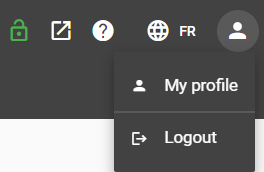
- Select My profile.
- Turn on the Combined roles toggle.
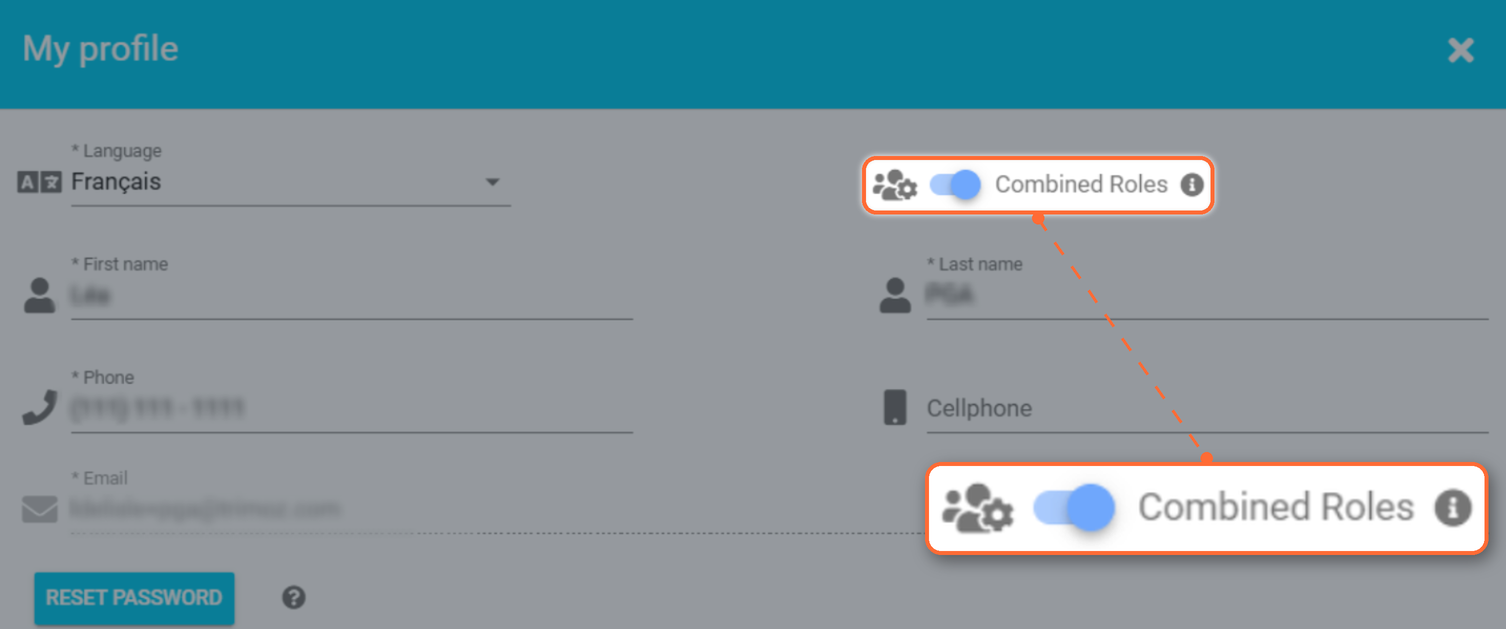
This view shows only the access you have already been granted. The option brings your roles together without adding any permissions. You can turn it off at any time from the same screen.
If you have questions or need help, our technical support team is available at support@clicsante.ca.
The Clic Santé Team
| By phone | Solutions home page | Get help and open a ticket |
| 450-977-2672 poste 2 | Solutions Clic Santé | Open a ticket |

Trimoz Technologies - All rights reserved