

This feature allows you to change the access control status of your time slots (opening them to the public or reserving them for internal use) at the daily or specific time level. Depending on your objectives, this action can be applied globally, to all time slots throughout the day, or targeted specifically using your filters.
It is also possible to change the padlock on a specific slot.
TABLE OF CONTENTS
- Modifying your padlocks for a specific time slot
- Change your lock on the daily level
- Practical case study: examples of everyday use
Modifying your padlocks for a specific time slot
To adjust access to your availability at a specific time, follow this procedure:
1. Choose your target schedule
- In your calendar, navigate to the time you want to lock or unlock.
2. Change the padlock of the schedule
- Hover over the chosen time slot to see its information panel open.
- Click on unlock or lock the time slot:
- The unlocked padlock: The time slots are open to users on the public portal. The slots will also be available internally.
- The locked padlock: The time slots are reserved exclusively for internal use. The schedule becomes invisible to the public.
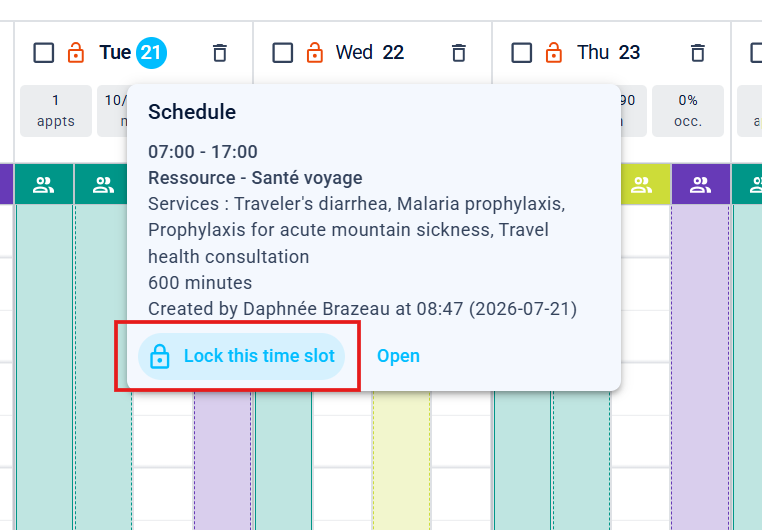
- It is also possible to change the lock on a specific slot.
Change your lock on the daily level
To adjust access for your entire day, follow this procedure:
1. Adjust your filters (optional)
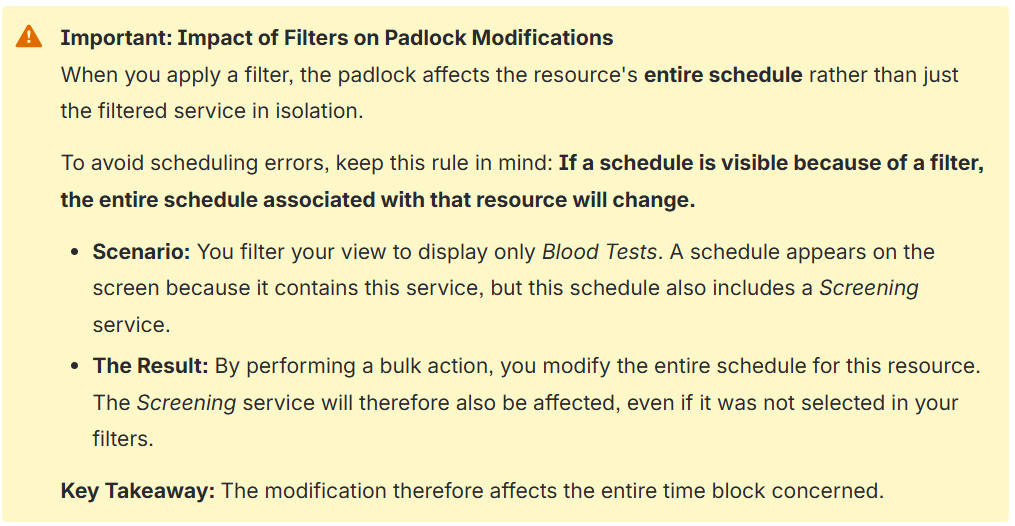
- If you wish to target a specific resource or service, use your side panel to isolate those items on the screen (e.g., select only the "Nursing Care" team resource). If you wish to modify all the schedules for your selected day, ensure that no filters are active.
2. Select your target day
- In your calendar, navigate to the day you want to lock or unlock.
3. Change the padlock of the day
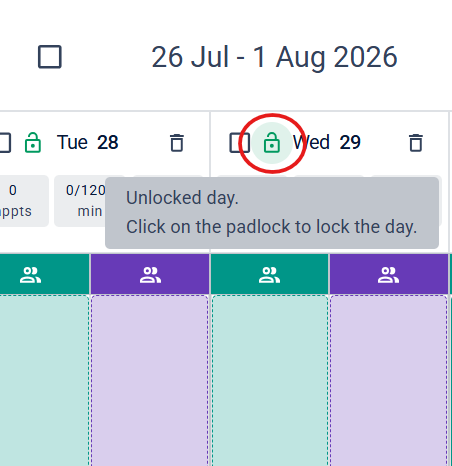
- Click on the desired padlock status in your target day:
- The unlocked padlock: The time slots are open to users on the public portal. The slots will also be available internally.
- The locked padlock: The time slots are reserved exclusively for internal use. The schedule becomes invisible to the public.
Practical case study: examples of everyday use
Here's how this feature allows you to react effectively: 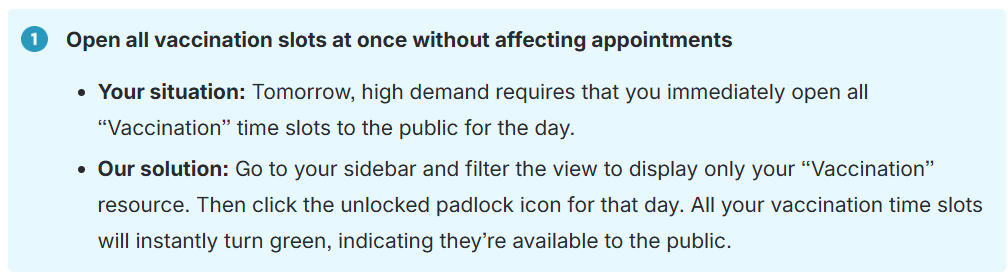
Related article(s)
Time Segments
Bulk locking and unlocking time slots
Trimoz Technologies - All rights reserved | ||||||
